
⌘T
Start something.
A new session in the project you are standing in, of the kind you started last.

A native macOS app
Your terminals. Your coding agents. One quiet workspace.
Move between them without lifting a hand.
• In development. Nothing to download yet.
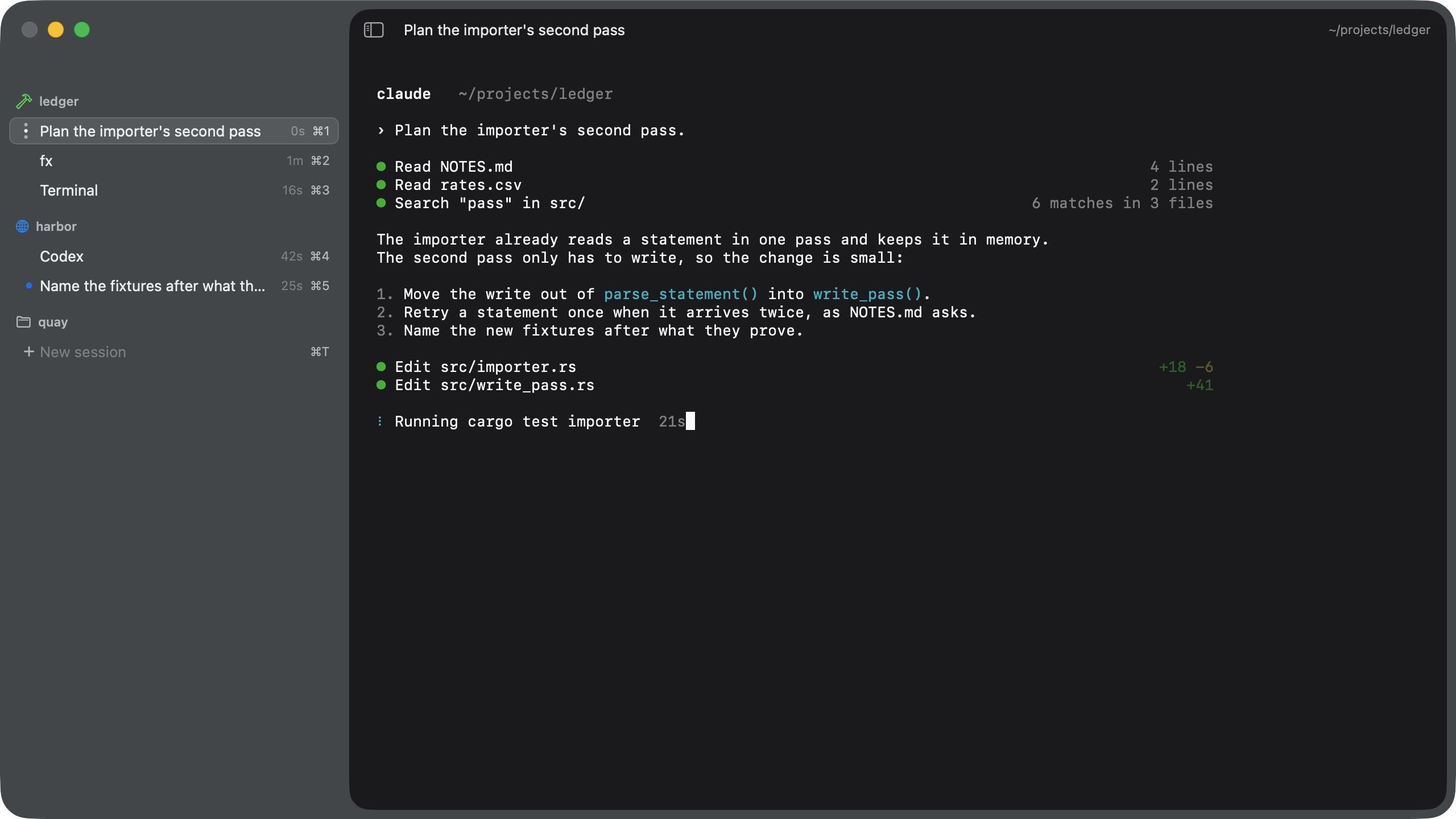
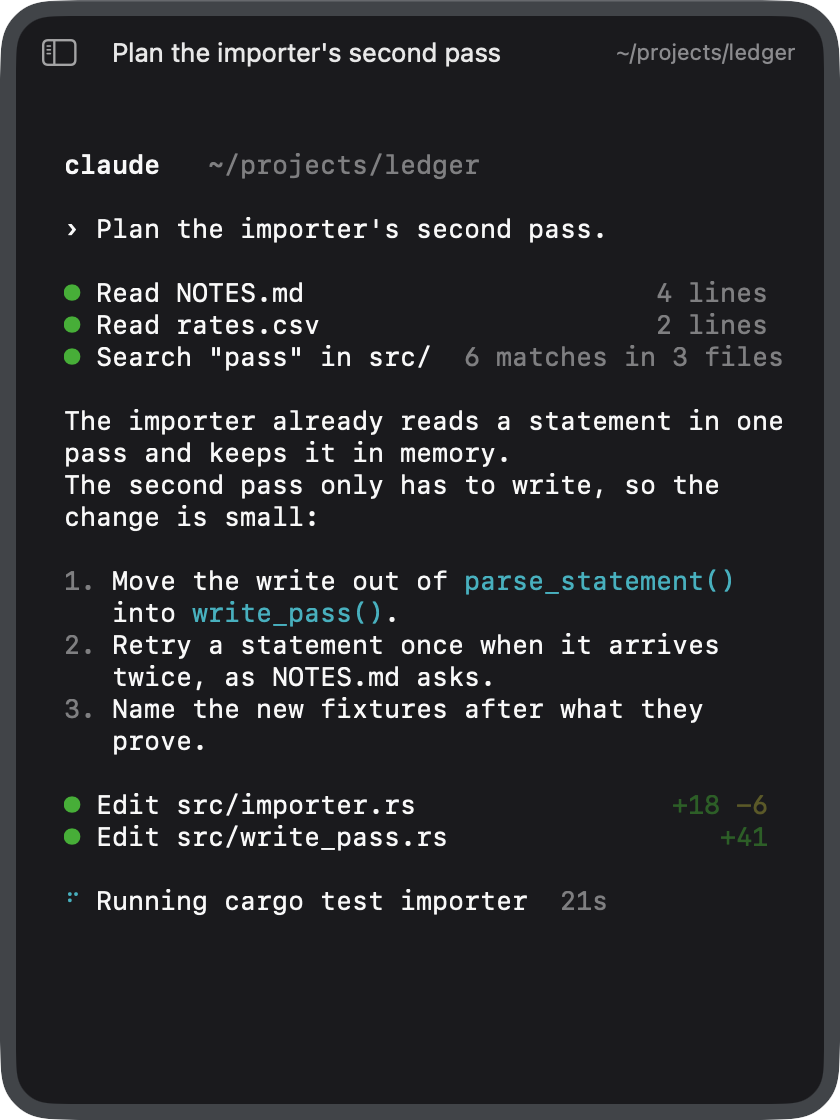
Three projects, five sessions. One working, one waiting.A Claude session at work in ledger.
Swipe the picture, or use the arrows. The keys work here too.
⌘T, ⌘W, ⌘N, ⇧⌘T and ⌘1–⌘9 belong to your browser on this page, and so does ⌥⌘↓ in Firefox. In Chorded they are yours.
A session is one of four things
 Claude
 Codex
Codex fx
fx⌘T starts whichever you started last, remembered across launches. ⇧⌘T opens the choice, where 1 to 4 pick one.
01 / Less, on purpose
Open a session. Watch it work. Answer when it needs you. Start the next one. Chorded gives that rhythm a home.
Projects keep sessions together. A workspace is a named set of projects, and the window shows one at a time. Switching the view leaves everything running.
What is not here is the point. No issue tracker, no agent roster, no scheduler, no cost report.
02 / It’s all in the chords
Every action is one press with its modifiers. Hold Command in the app and the map appears.
A new session in the project you are standing in, of the kind you started last.
Select that numbered session and focus its terminal. Your next keystroke is already in the right place.
Go to the session waiting for you. Answer it, then go back to what you were doing.
The whole map
Every action on this list, and no action off it.
03 / What a purchase is
You pay once for Chorded 1, and every 1.x update is included. Chorded 2, if it comes, is a new purchase. Nothing here promises when.
The key works on up to 3 of your Macs. Enter it once on each.
There is no trial. Without a key Chorded does not start. It is a universal binary — Apple silicon and Intel — and it needs macOS 13 or newer.
There is no public download either. The disk image and your key arrive from Polar after payment — by email, and in your Polar account. Chorded has no server, so nothing about you is kept here.

In development.